Danza Dance
|
| |
Material Material |  |

Este tutorial fue hecho con el Psp X2, puede hacerlo con cualquier versión del Psp. This tutorial was done with the Psp X2, you can do with any version of the PSP. |
1. Abrir una imagen transparente de 700 x 500 pixeles. Open a transparent image of 700 x 500 pixels. |
2. 2. Selecciones/ Seleccionar todo. Selections / Select All. |
3. Abrir Tube JHanna_45 bground@. 3. Tube Open JHanna_45 bground @. Copiar/ Pegar en la Selección. Copy / Paste in the selection. |
4. Capas/ Nueva capa de trama. Layers / New layer of fabric. |
5. Selecciones/ Modificar/ Contraer 10 pixeles. Selections / Modify / Collapse 10 pixels. |
6. Efectos/ Efectos 3D/ Sombra 1/1 y -1/-1 Effects / Effects 3D / Shadow 1 / 1 and -1/-1 |
7. Selecciones/ Anular Selección. Selections / Cancel Selection. |
8. Abrir Tube mds8267 Abstract. Open Tube mds8267 Abstract. |
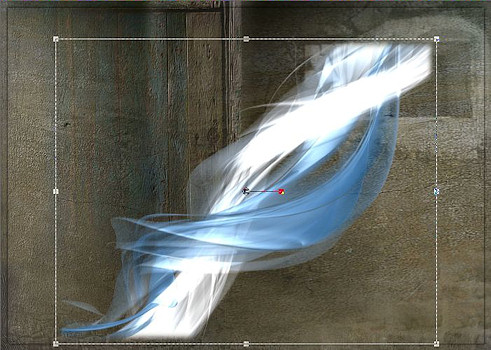
9. Copiar/ Pegar como nueva capa. Copy / Paste as a new layer. Espejo. Mirror. Colocar. Placing. |
10. Herramientas/ Herramienta Selección "K". Tools / Tool Selection "K". Alargar la imagen sólo hacia abajo, hasta el borde de la sombra. Enlarge the image only back down to the edge of the shadow. |
|
11. Opacidad de la capa al 62% Opacity of the layer to 62% |
12. Abrir Tube GraphicsByLiz_Joyous_ricardo_mejia_rubio. Open Tube GraphicsByLiz_Joyous_ricardo_mejia_rubio. |
13. Copiar/ Pegar como nueva capa. Copy / Paste as a new layer. |
14. Redimensionar al 85%. Resize to 85%. Duplicar. Duplicate. |
15. Efectos/ Efectos 3D/ Sombra 1/1 Effects / Effects 3D / Shadow 1 / 1 |
16. Abrir Tube piano_2. Open Tube piano_2. |
17. Copiar/ Pegar como nueva capa. Copy / Paste as a new layer. Colocar, abajo a la izquierda. Place, lower left. |
18. Efectos/ Efectos 3D/ Sombra 1/1 Effects / Effects 3D / Shadow 1 / 1 |
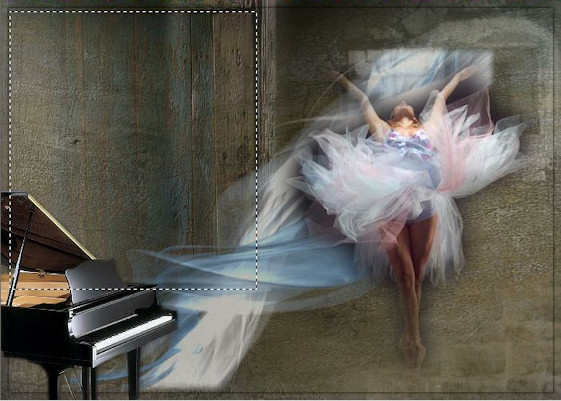
19. Herramientas/ Herramienta Selección "S". Tools / Tool Selection "S". Trazar un rectángulo, así: Draw a rectangle, as follows: |
|
20. Capas/ Capa nueva de trama. Layers / New Layer of fabric. |
21. Abrir Tube partitura. Open Tube score. |
22. Copiar/ Pegar en la selección. Copy / Paste in the selection. Opacidad al 11% Opacity to 11% |
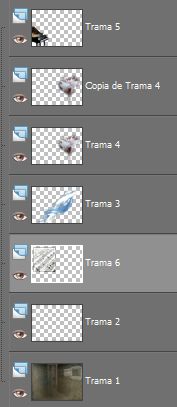
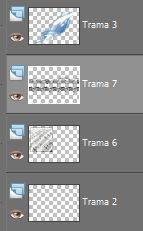
23. Capas/ Organizar, bajar hasta llegar a la segunda capa. Layers / Organize, losing up to the second layer. |
|
|
24. Nos situamos de nuevo en la trama número 5 We put back into the plot number 5 |
25. Abrir Tube Musik@. Open Tube @ Musik. Copiar/ pegar como nueva capa. Copy / paste as a new layer. |
26. Capas/ Organizar. Layers / Organize. Bajar hasta llegar a la capa de la partitura. Download up to the layer of the score. |
|
27. Capas/ Fusionar/ Fusionar visibles. Layers / Merge / Merge visible. |
28. Capas/ Nueva capa de trama. Layers / New layer of fabric. Abrir fuente BakerScript. Open source BakerScript. |
29. Escribir "Love" tamaño 50 pixeles. Writing "Love" size 50 pixels. Colocar. Placing. |
30. Capas/ Nueva capa de trama. Layers / New layer of fabric. Escribir "for the", tamaño 36 pixeles. Writing "for the" size 36 pixels. Colocar. Placing. |
| 31. Capas/ Nueva capa de trama. Layers / New layer of fabric. Escribir "Dance", tamaño 50 pixeles. Writing "Dance", size 50 pixels. Colocar. Placing. |
32. Capas/ Nueva capa. Layers / New layer. Añadir su firma. Add your signature. |
33. Capas/ Fusionar todo. Layers / Merge everything. |
34. Imagen/ Redimensionar 85% Picture / Resize 85% |
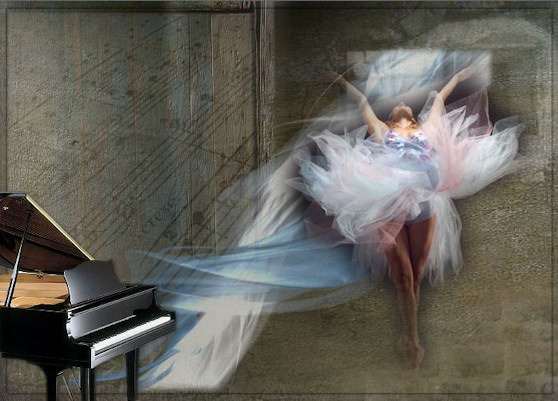
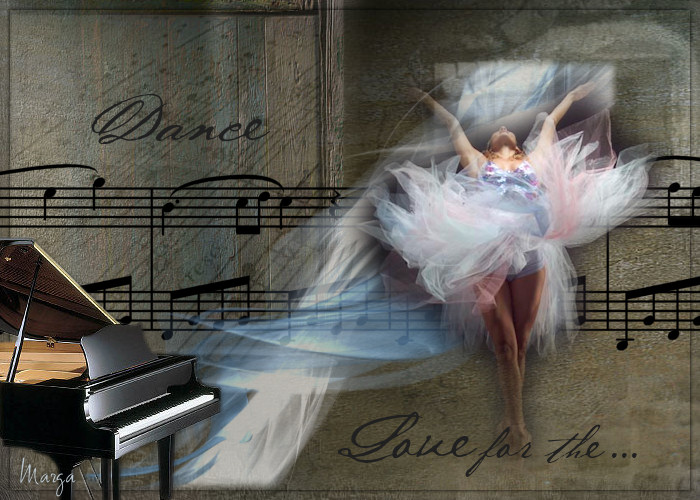
35. Aquí termina su trabajo. Here finishes his work. Lo guardamos en formato JPG. What we keep in JPG format. |
Danza Dance |
Marga, 11 Mayo 08 Marga, 11 May 08 |
 |
 |