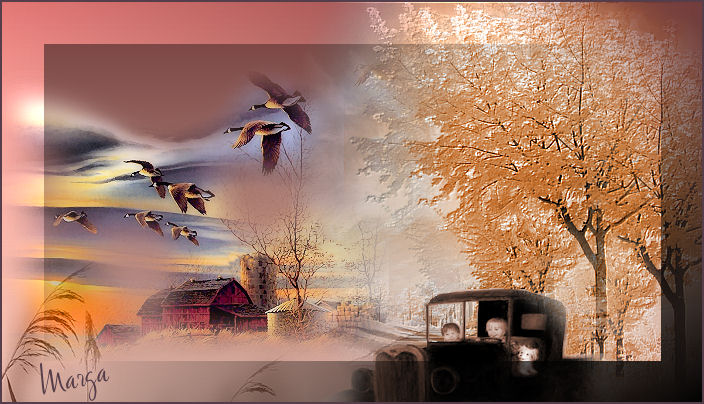
Paseo en coche Drive
|
| |
Material Material |  |
Filtros Filters | Xero |
FM Tile Tools FM Tile Tools | |
Mock |

Este tutorial fue hecho con el Psp X2, puede hacerlo con cualquier versión del Psp This tutorial was done with the PSP X2, you can do with any version of Psp |
1. Paleta de estilos y texturas. Palette of styles and textures. Primer plano #713b3a y plano de fondo #dfb3a5. # 713b3a foreground and background plane dfb3a5 #. Gradiente. Gradient. Lineal. Linear. Ángulo 200. Angle 200. Repeticiones 0. 0 repetitions. No invertir. Not invest. |
2. Abrir una imagen transparente de 700 x 400 pixeles. 2. Open a transparent image of 700 x 400 pixels. La llenamos con el gradiente. Filled with the gradient. |
3. Abrir el tube PatriMists_SilentSunset. Open PatriMists_SilentSunset tube. Copiar/ pegar como nueva capa. Copy / paste as new layer. |
4. Con la herramienta mover, situar a la izquierda. 4. With the move tool on the left. |
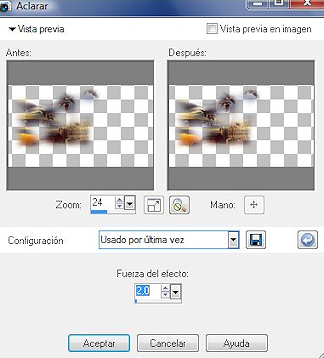
5. Mejorar foto/ aclarar/ dos veces. Improve photo / clarify / twice. |
|
6. Efectos/ Plugins/ Xero/ Porcelain 50-128-128 Effects / Plugins / Xero / Porcelain 50-128-128 |
7. Mejorar foto/ Mejora fotográfica inteligente. Enhance Photo / Picture Improves smart. |
8. Abrir el tube cl scenery 21. Open tube 21 cl scenery. Copiar/ Pegar como nueva imagen. Copy / Paste as new image. |
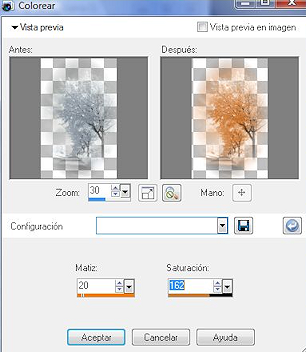
| 9.Ajustar/ Matiz y saturación/ Colorear. 9.Ajustar / Hue and Saturation / Colorize. |
|
10. Copiar/ Pegar como nueva capa. Copy / Paste as new layer. Colocar a la derecha. Putting the right. Duplicar. Duplicate. Colocar. Place. |
11. Abrir de nuevo el tube "cl scenery 21" Reopen the tube "scenery cl 21" |
12. Copiar/ Pegar como nueva capa. Copy / Paste as new layer. |
13. Capas/ Organizar/ Bajar. Layers / Arrange / Down. Colocar. Place. |
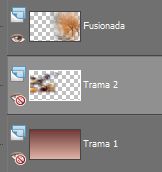
14. Cerrar primera y segunda capa. Close first and second layer. |
15. Capas/ Fusionar/ Fusionar visibles. Layers / Merge / Merge visible. |
|
16. Efectos/ Plugins/ FM Tile Tools/ Blend emboss - valores por defecto. Effects / Plugins / FM Tile Tools / Blend emboss - defaults. |
17. Abrir todas las capas/ Fusionar/ Fusionar todo aplanar. Open all layers / Merge / Merge all flatten. |
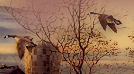
18. Pincel clonar. Clone brush. Pintar sobre las dos aves buscando el fondo que más convenga. Two birds painted on the bottom looking for more convenience. |
|
19. Abrir el tube chicos. Open tube guys. |
20. Copiar/Pegar como nueva capa. Copy / Paste as new layer. Colocar. Place. |
21. Con la herramienta borrador Limpiar. With the eraser tool clean. |
22. Duplicar. Duplicate. Capas/ Fusionar/ Fusionar visibles. Layers / Merge / Merge visible. |
23. Abrir el tube cmlslandscape. Open cmlslandscape tube. |
24. Copiar/ Pegar como nueva capa. Copy / Paste as new layer. Espejo. Mirror. Llevar abajo del todo, sólo se verán un par de ramas. Bring down at all, only be a couple of branches. |
25. Capa duplicar. Double layer. Colocar. Place. Fusionar visibles. Merge visible. |
| 26. Modo de mezcla/ Luminosidad heredado. Blend Mode / Brightness inherited. |
27. Fusionar/ Fusionar todo aplanar. Merge / Merge all flatten. |
28. Imagen/ agregar bordes/ 2 pixeles color #553d49 Image / Add Borders 2 pixels color # 553d49 |
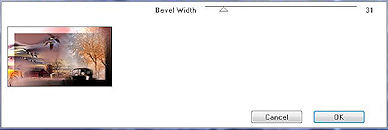
29. Efector/ Plugins/ Mock/ Bevel Effector / Plugins / Mock / Bevel |
|
| 30. Capa/ nueva capa. Layer / new layer. Añadir su firma. Add your signature. |
| 31. Capas/ fusionar todo. Layers / Merge all. |
| 32. Imagen/ Redimensionar 85% Image / Resize 85% |
33. Aquí termina su trabajo. Here ends your work. Lo guardamos en formato JPG Rioja save in JPG format |
Paseo en coche Drive |
Marga, 2 Noviembre 07 Marga, November 2 07 |
 |