Entre amigos Among Friends
|
| |
Material Material |  |
| Filtros Filters | Creativity |
| FM Tile Tools FM Tile Tools |

Este tutorial fue hecho con el Psp X2, puede hacerlo con cualquier versión del Psp. This tutorial was done with the Psp X2, you can do with any version of the PSP. |
1. Abrir una imagen transparente de 700 x 550 pixeles. Open a transparent image of 700 x 550 pixels. Con el bote de pintura la llenaremos de color #b7c7c6 With the pot of painting the colorful # b7c7c6 |
2. 2. Abrir Tube nubes1. Open Tube nubes1. Copiar/ Pegar como nueva capa. Copy / Paste as a new layer. |
3. Colocar, arriba a la izquierda. Place, top left corner. |
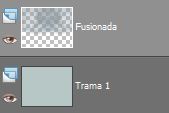
4. Capas/ Duplicar. Layers / Duplicate. Espejo. Mirror. Colocar. Placing. |
5. Capas/ Fusionar visibles. Layers / Merge visible. |
|
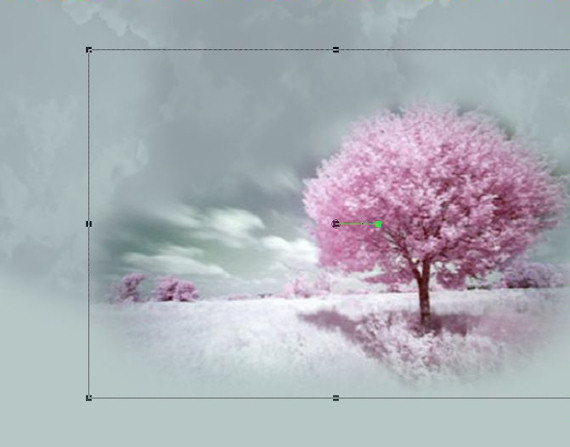
6. Abrir Tube PAY-M2008-03*. Open Tube PAY-M2008-03 *. Copiar/ Pegar como nueva capa. Copy / Paste as a new layer. |
7. Herramientas/ herramienta selección "K". Tools / selection tool "K". Alargar sólo hacia la derecha. Enlarge only to the right. |
|
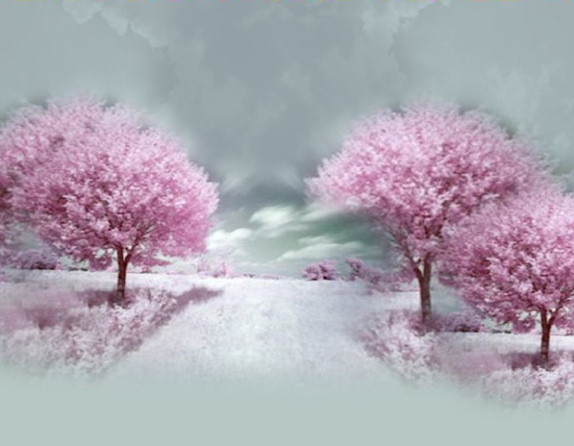
8. Capa/ Duplicar. Layer / Duplicate. Colocar, a la izquierda. Place on the left. |
| 9. Capa/ Duplicar. Layer / Duplicate. Redimensionar al 80% Resize to 80% |
10. Capa/ Duplicar. Layer / Duplicate. Colocar a la derecha. Put on the right. |
|
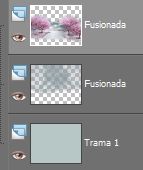
| 11. Capas/ Fusionar visibles. Layers / Merge visible. |
|
12. Austar/ Nitidez/ Enfocar. Austar / Sharp / Focus. |
13. Abrir Tube Misted_Winter_Country_RM*. Open Tube Misted_Winter_Country_RM *. |
14. Copiar/ Pegar como nueva capa. Copy / Paste as a new layer. Redimensionar al 65%. Resize to 65%. Colocar. Placing. |
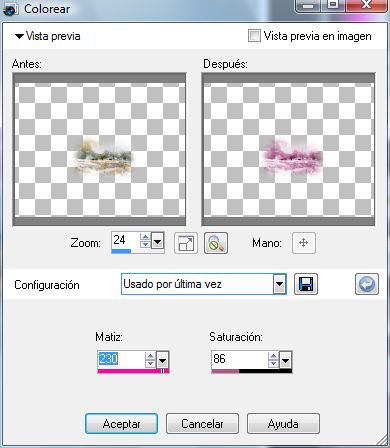
15. Ajustar/ Matiz y saturación/ Colorear. Adjust / Hue and saturation / Color. |
|
16. Efectos/ Plugins/ FM Tile Tools/ Blend Emboss, valores por defecto. Effects / Plugins / FM Tile Tools / Blend embossed, defaults. |
17. Opacidad de la capa al 56%. Opacity of the layer to 56%. Capas/ Fusionar visibles. Layers / Merge visible. |
18. Capas/ Nueva capa de trama. Con el bote de pintura la llenaremos de color #875a71 Layers / New layer of fabric. With the pot of painting the colorful # 875a71 |
19. Abrir tube Abrir Tube nubes1. Open Open Tube nubes1 tube. Copiar/ Pegar como nueva capa. Copy / Paste as a new layer. |
20. Colocar a la izquierda. Place on the left. Duplicar. Duplicate. Colocar a la derecha. Put on the right. |
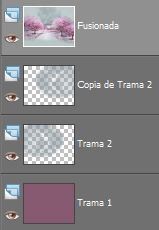
21. Capas/ Organizar. Layers / Organize. |
|
22. Selecciones/ Seleccionar todo. Selections / Select All. |
| 23. Selecciones/ Modificar/ Contraer 40 pixeles. Selections / Modify / Collapse 40 pixels. |
24. Selecciones/ Invertir. Selections / Investing. Suprimir "Supr". Delete "Delete". |
| 25. Abrir Tube 3boys_jlec_051408. Open Tube 3boys_jlec_051408. Limpiar Tube= "chicos1" Clear Tube = "chicos1" |
26. Copiar/ Pegar como nueva capa. Copy / Paste as a new layer. Colocar. Placing. |
27. Capa/ Duplicar Layer / Duplicate |
28. Ajustar/ Nitidez/ Enfocar. Adjust / Sharp / Focus. |
29. Capas/ Fusionar todo. Layers / Merge everything. |
30. Capas/ Nueva capa de trama. Layers / New layer of fabric. |
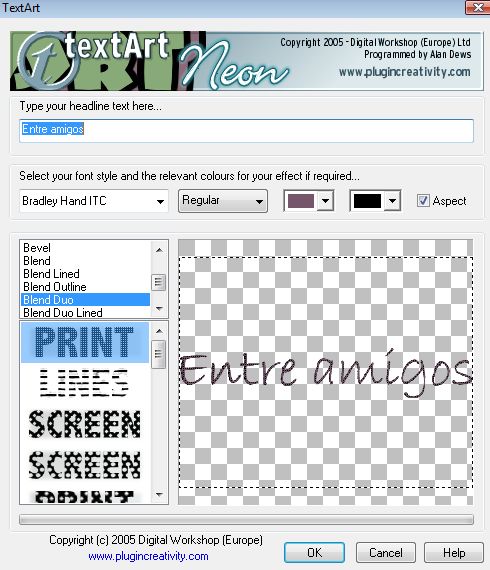
| 31. Efectos/ Plugins/ creativity/ TextArt Effects / Plugins / creativity / TextArt |
|
| 32. Redimensionar al 60% Resize to 60% |
| 33. Efectos/ Efectos 3D/ Sombra -1/-1 Color #000000 Effects / Effects 3D / Shadow -1/-1 Color # 000000 |
| 34. Opacidad de la capa al 72% Opacity of the layer to 72% |
| 35. Capa/ Nueva capa de trama. Layer / New layer of fabric. Añadir su firma. Add your signature. |
| 36. Capas/ Fusionar todo. Layers / Merge everything. |
| 37. Aquí termina su trabajo. Here finishes his work. Lo guardamos en formato JPG. What we keep in JPG format.
|
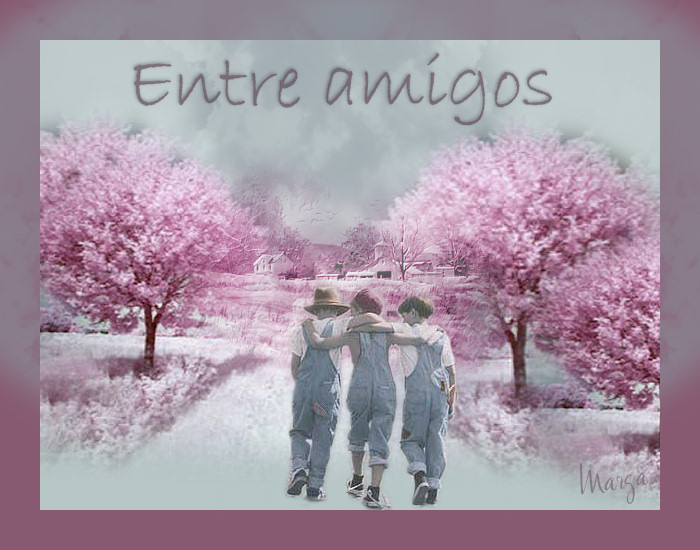
Entre amigos Among Friends |
Marga, 25 Mayo 08 Marga, 25 May 08 |
 |
|