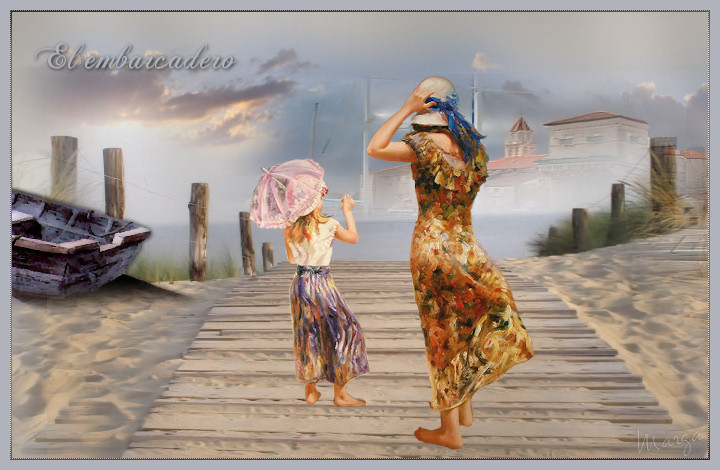
Este tutorial fue hecho con el Psp X2, puede hacerlo con cualquier versión del Psp This tutorial was done with the Psp X2, you can do with any version of Psp |
|
1. Abrir una imagen transparente de 700 x 450 pixeles. Open a transparent image of 700 x 450 pixels. Con el bote de pintura la llenaremos de color #c0bbb5 With the pot of painting the colorful # c0bbb5 |
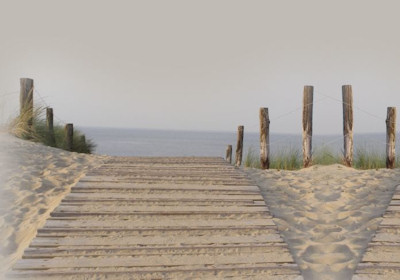
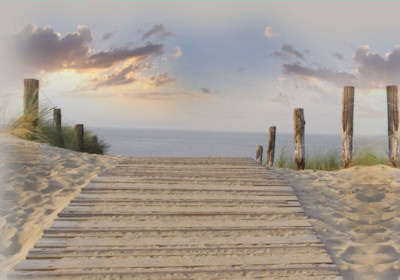
| 2. Abrir Tube scenery38*. Open Tube scenery38 *. Copiar/ Pegar como nueva capa. Copy / Paste as a new layer. |
| 3. Colocar a la izquierda. Place on the left. Duplicar. Duplicate. Espejo. Mirror. Colocar. Placing. |
|
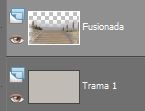
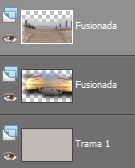
| 4. Fusionar estas dos capas Merging these two layers |
|
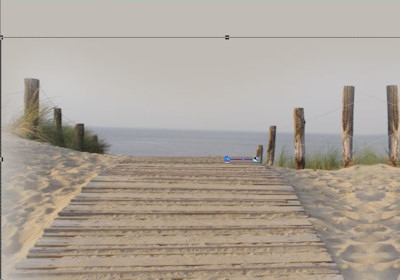
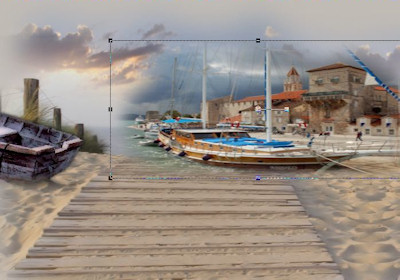
5. Herramientas/ Herramienta selección "K" Tools / Tool selection "K" |
|
| 6. Capas/ Duplicar. Layers / Duplicate. Fusionar. Merge. |
| 7. Mejorar foto/ Eliminación de ruido en un paso. Improve photo / Elimination of noise in one step. |
| 8. Abrir Tube Scenery4708_TbS*. Open Tube Scenery4708_TbS *. Copiar/ Pegar como nueva capa Copy / Paste as a new layer |
| 9. Capas/ Organizar/ Bajar. Layers / organize / download. |
| 10. Colocar a la izquierda y arriba. Place on the left and above. Capa duplicar. Layer duplicate. Espejo. Mirror. Colocar. Placing. |
|
| 11. Capas/ Fusionar/ Fusionar visibles. Layers / Merge / Merge visible. |
|
| 12. Abrir Tube Misted By Sorensen_Designs Rual America. Open Tube Mister By Sorensen_Designs Rual americas. |
| 13. Copiar/ Pegar como nueva capa. Copy / Paste as a new layer. Colocar a la izquierda. Place on the left. |
| 14. Herramientas/ Selección a mano alzada "lazo" Tools / Selecting a show of hands "lasso" |
|
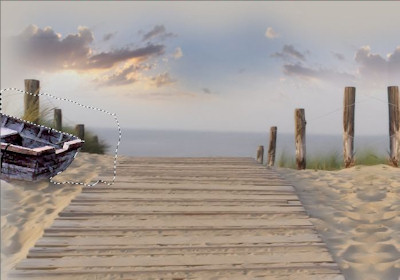
| 15. Seleccionar parte del contorno de la barca. Select the contour of the boat. Suprimir "Supr" Delete "Delete" |
|
| 16. Selecciones/ Anular selección. Selections / Cancel selection. |
| 17. Herramientas/ Herramienta borrador, eliminar restos si fuera preciso. Tools / Tool draft, remove debris if necessary. |
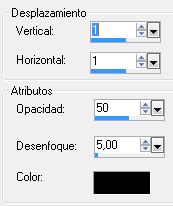
| 18. Efectos/ Efectos 3D/ Sombra 1/1 y -1/-1 18. Effects / Effects 3D / Shadow 1 / 1 and -1/-1 |
|
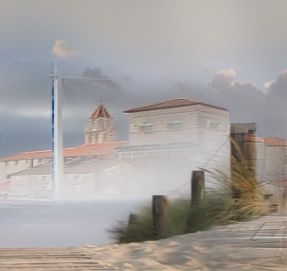
19. Efectos/ Plugins/ Xero/ Porcelain 50/128/128 19. Effects / Plugins / Hero / Porcelain 50/128/128 |
20. Abrir Tube mds8225 Harbour. Open Tube mds8225 Harbour. Copiar/ Pegar como nueva capa. Copy / Paste as a new layer. |
| 21. Imagen/ Cambiar de tamaño 70% Picture / Change size 70% |
22. Herramientas/ Selección "K". Tools / Selection "K". |
|
| 23. Efectos/ Plugins/ FM Tile Tools/ Blend Emboss, valores por defecto. Effects / Plugins / FM Tile Tools / Blend embossed, defaults. |
24. Mejorar foto/ Eliminación de ruido en un paso (Repetir dos veces) Improve photo / Elimination of noise in a step (Repeat twice) |
25. Abrir de nuevo el Tube scenery38*. Open again Tube scenery38 *. Copiar/ Pegar como nueva capa. Copy / Paste as a new layer. |
26. Ayudados por la Herramienta selección "K", colocar. Helped by the selection tool "K", place. |
| 27. Mejorar foto/ Eliminación de ruido en un paso. Improve photo / Elimination of noise in one step. |
| 28. Capas/ Organizar. Layers / Organize. Fusionar todo. Merging all. |
|
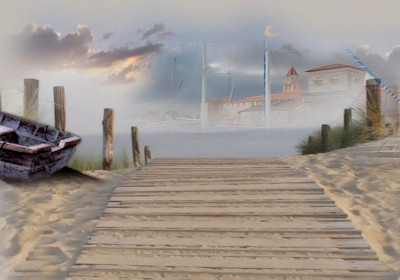
29. Herramientas/ Herramienta Pincel Clonar. Tools / Tool Clone Brush. Elimininar el objeto de la derecha Elimininar the object on the right |
|
| 30. Abrir Tube mou_atthebeach. Open Tube mou_atthebeach. Seleccionar lo que interese. Select what you are interested. Copiar/ Pegar como nueva capa. Copy / Paste as a new layer. |
| 31. Imagen/ Cambiar de tamaño 80%. Picture / Change size 80%. |
| 32. Colocar. Placing. Duplicar. Duplicate. |
33. Capas/ Nueva capa de trama. Layers / New layer of fabric. |
34. Selecciones/ Seleccionar todo. Selections / Select All. |
| 35. Selecciones/ Modificar/ Contraer 2 pixeles/ Invertir. Selections / Modify / 2 Collapse pixels / Investing. |
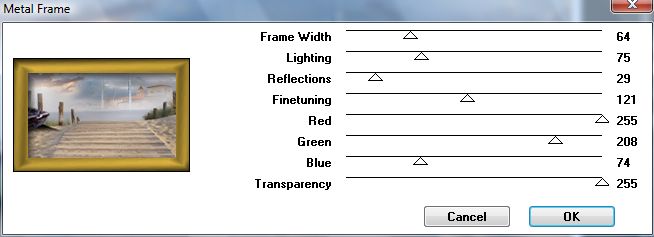
36. Efectos/ Plugins/ VM Toolbox/ Metal Frame Effects / Plugins / VM Toolbox / Metal Frame |
|
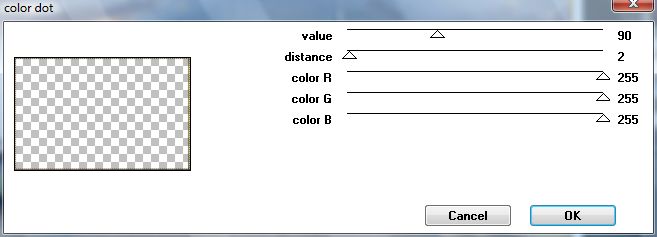
37. Efectos/ Plugins/ penta.com/ color dot Effects / Plugins / penta.com / color dot |
|
| 38. Modo de mezcla/ Luminosidad heredado. Mode mixing / Bright inherited. |
| 39. Selecciones/ Anular selección. Selections / Cancel selection. |
| 40. Imagen/ Agregar bordes, 10 pixeles, color #b0b3bc Picture / Add edges, 10 pixels, color # b0b3bc |
| 41. Capas/ Nueva capa de trama. Layers / New layer of fabric. |
| 42. Herramientas Texto. Text tools. Fuente ChaseCallasSH. Source ChaseCallasSH. Color #b0b3bc. Color # b0b3bc. Tamaño 36 pixeles. Size 36 pixels. |
| 43. Escribir texto. Write text. |
| 44. Efectos/ Efectos 3D/ Sombra -1/-1 Effects / Effects 3D / Shadow -1/-1 |
| 45. Colocar. Placing. Capas/ Duplicar. Layers / Duplicate. |
| 46. Capas/ Nueva capa, añadir su firma. Layers / New layer, add your signature. |
| 47. Capas/ Fusionar todo. Layers / Merge everything. |
| 48. Aquí termina su trabajo. Here finishes his work. Lo guardamos en formato JPG What we keep in JPG |
|
|
Marga, 29 Agosto 08 Marga, 29August 08 |
|
|
|
|
|
|